


Page 88 - SREENARAYANAGURU OPEN UNIVERSITY
P. 88
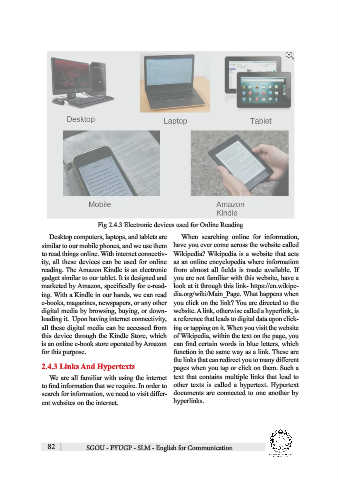
Fig 2.4.3 Electronic devices used for Online Reading

                  Desktop computers, laptops, and tablets are   When  searching  online  for  information,
               similar to our mobile phones, and we use them  have you ever come across the website called
               to read things online. With internet connectiv-  Wikipedia? Wikipedia is a website that acts
               ity, all these devices can be used for online  as an online encyclopedia where information
               reading. The Amazon Kindle is an electronic  from  almost  all  fields  is  made  available.  If
               gadget similar to our tablet. It is designed and  you are not familiar with this website, have a
               marketed by Amazon, specifically for e-read-   look at it through this link- https://en.wikipe-
               ing. With a Kindle in our hands, we can read  dia.org/wiki/Main_Page. What happens when
               e-books, magazines, newspapers, or any other  you click on the link? You are directed to the
               digital media by browsing, buying, or down-    website. A link, otherwise called a hyperlink, is
               loading it.  Upon having internet connectivity,  a reference that leads to digital data upon click-
               all these digital media can be accessed from  ing or tapping on it. When you visit the website
               this device through the Kindle Store, which  of Wikipedia, within the text on the page, you
               is an online e-book store operated by Amazon  can find certain words in blue letters, which
               for this purpose.                              function in the same way as a link. These are
                                                              the links that can redirect you to many different
               2.4.3 Links And Hypertexts                     pages when you tap or click on them. Such a

                  We are all familiar with using the internet  text that contains multiple links that lead to
               to find information that we require. In order to  other  texts  is  called  a  hypertext.  Hypertext
               search for information, we need to visit differ-  documents are connected to one another by
               ent websites on the internet.                  hyperlinks.


                 82            SGOU - FYUGP - SLM - English for Communication

